文档 / 修正后的输出(Corrected Outputs)
修正后的输出(Corrected Outputs)
修正(Corrections)让你能够直接在 trace 和 observation 视图中捕获 LLM 输出的改进版本。领域专家可以记录模型本应生成的内容,为微调数据集和持续改进奠定基础。
为什么使用修正?
- 领域专家反馈:主题专家基于其专业知识提供模型本应输出的内容
- 微调数据集:将修正后的输出与原始输入一起导出,从生产 traces 创建高质量训练数据
- 质量基准测试:跨生产 traces 对比实际输出与预期输出,以识别系统性问题
- 人工参与的工作流:在审阅过程中捕获修正,在标注队列中尤其有用
工作原理
通过 UI 或 API 为任意 trace 或 observation 添加修正后的输出。修正会与原始输出一起显示,并提供 diff 视图展示变更内容。每个 trace 或 observation 可以有一个修正后的输出。
添加修正
通过 UI
导航到任意 trace 或 observation 详情页:
- 在原始输出下方找到 "Corrected Output" 字段
- 点击以添加或编辑修正
- 输入改进后的输出版本
- 在 JSON 校验模式和纯文本模式之间切换,以匹配你的数据格式
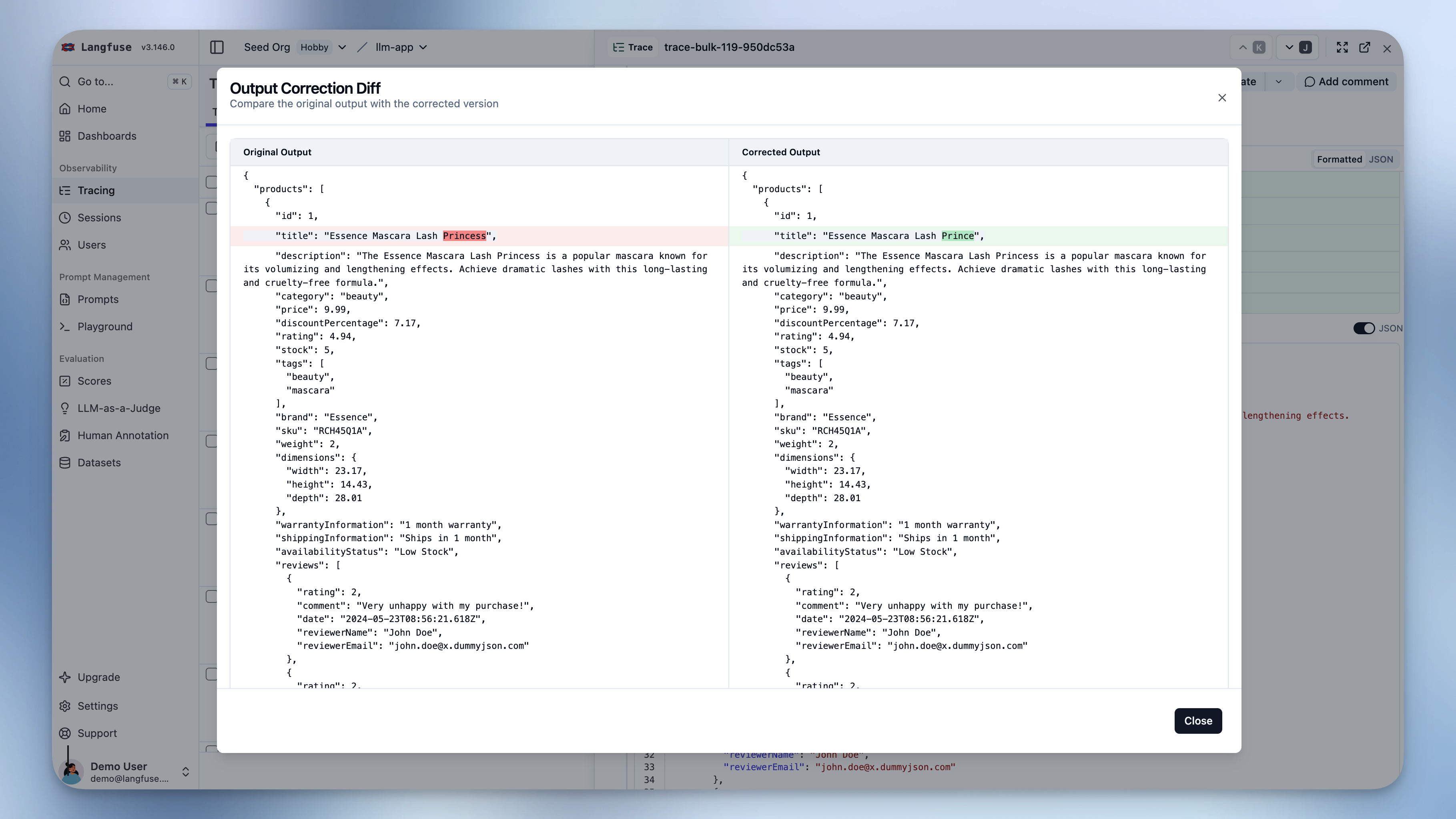
- 查看 diff 以对比原始输出与修正后的输出
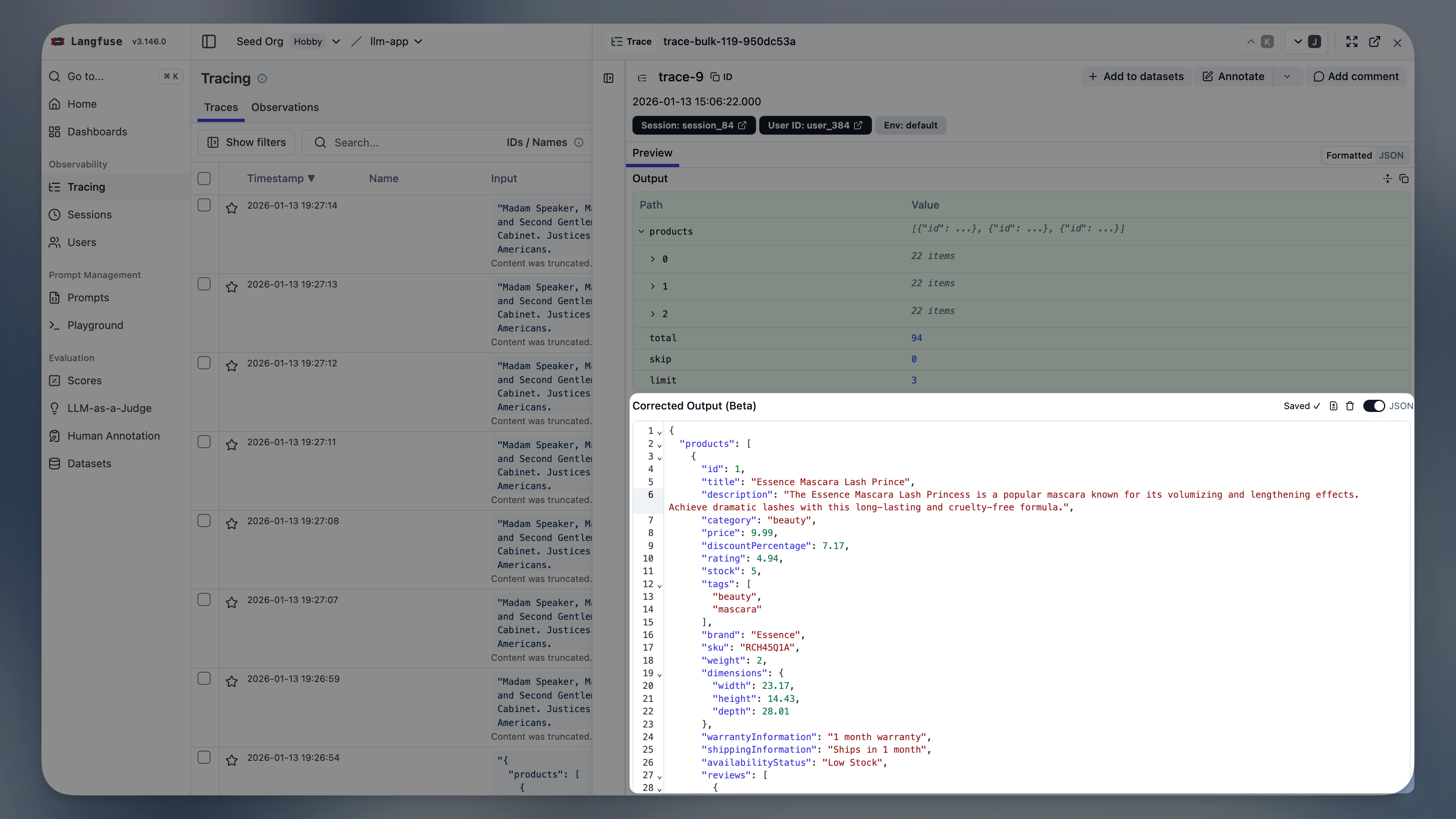
编辑器在你输入时自动保存,并在 JSON 模式下提供实时校验反馈。
通过 API/SDK
修正以 dataType: "CORRECTION" 和 name: "output" 的分数形式创建。
Python
python
from langfuse import Langfuse

langfuse = Langfuse()

# Add correction to a trace
langfuse.create_score(
    trace_id="trace-123",
    name="output",
    value="The corrected output text here",
    data_type="CORRECTION"
)

# Add correction to an observation
langfuse.create_score(
    trace_id="trace-123",
    observation_id="obs-456",
    name="output",
    value="The corrected output text here",
    data_type="CORRECTION"
)
TypeScript
typescript
import { LangfuseClient } from "@langfuse/client";

const langfuse = new LangfuseClient();

// Add correction to a trace
langfuse.score.create({
  traceId: "trace-123",
  name: "output",
  value: "The corrected output text here",
  dataType: "CORRECTION"
});

// Add correction to an observation
langfuse.score.create({
  traceId: "trace-123",
  observationId: "obs-456",
  name: "output",
  value: "The corrected output text here",
  dataType: "CORRECTION"
});
HTTP
bash
curl -X POST https://cloud.langfuse.com/api/public/scores \
  -H "Content-Type: application/json" \
  -H "Authorization: Basic <base64_encoded_credentials>" \
  -d '{
    "traceId": "trace-123",
    "observationId": "obs-456",
    "name": "output",
    "value": "The corrected output text here",
    "dataType": "CORRECTION"
  }'
获取修正
修正以分数形式存储,可以编程获取,用于构建数据集或分析模型性能。
Python
即将推出:通过 SDK 获取修正。
TypeScript
即将推出:通过 SDK 获取修正。
HTTP
bash
curl -X GET "https://cloud.langfuse.com/api/public/v3/scores?dataType=CORRECTION&fields=subject,details" \
  -H "Authorization: Basic <base64_encoded_credentials>"